Affiliate disclosure: The store, product, and category buttons on this page are affiliate links. Online Course Tracker may earn a commission if you buy through them, at no additional cost to you.
Independent Unity Asset Store guide
Unity Asset Store Guide for Game Developers
Compare editor extensions, 3D assets, VFX tools, and project templates by use case, compatibility, license type, and current Unity catalogue ratings.
Browse current Unity Asset Store listings
Prices, availability, compatibility, ratings, review counts, and license terms can change. Verify the current listing before purchase.
Recommended Unity Asset Store Packages
Three packages selected for distinct use cases: editor workflow, modular 3D environment production, and stylized VFX.
By the Online Course Tracker Editorial Team • Last checked July 23, 2026
Ratings and review counts are taken from official Unity Asset Store catalogue listings and were checked July 23, 2026. They can change after publication.
Affiliate-link notice: The product buttons below are affiliate links. Online Course Tracker may earn a commission from an eligible purchase at no additional cost to you.
Editor extension
Odin Inspector and Serializer
Unity catalogue rating: 4.7/5 from 785 reviews
An editor extension from Sirenix for building custom inspectors, validation workflows, and serialized-data workflows in Unity.
Best for: Teams with inspector-heavy workflows or custom Unity editor tooling.
Keep in mind: Unity lists this package under a non-standard EULA; review its licensing and seat requirements before purchase.
3D environment package
POLYGON - Dungeons Pack - Art by Synty
Unity catalogue rating: 4.7/5 from 115 reviews
A modular low-poly dungeon environment pack from Synty Studios with scene-building assets in a consistent stylized art direction.
Best for: Teams building stylized dungeon scenes and rapid environment prototypes.
Keep in mind: The distinctive low-poly style must match the rest of your project. Verify the current license type, Restricted Asset status, Unity-version support, and render-pipeline compatibility on the official listing before purchase.
VFX toolkit
All In 1 Vfx Toolkit
Unity catalogue rating: 4.9/5 from 63 reviews
A VFX toolkit from Seaside Studios with stylized particle and shader effects for Built-in, URP, and HDRP projects.
Best for: Teams building stylized magic, impact, distortion, and particle effects.
Keep in mind: Confirm the current Unity version, render-pipeline and platform support, dependencies, and license type on the official listing before purchase.
How we selected these packages
We selected one package for each of three common jobs: editor workflow, modular 3D environment production, and stylized VFX. We compared the official Unity Asset Store listings for intended use, catalogue rating and review count, Unity-version and render-pipeline compatibility, release history, publisher documentation, and license type. We did not install or benchmark these packages. The descriptions and limitations below are editorial summaries of official listing information, not claims of hands-on testing.
Product and license information was checked July 23, 2026. The official product page, checkout information, and applicable EULA remain the controlling sources.
Browse Unity Asset Store Categories
Use the filter to narrow the categories, then check the current Unity listing for compatibility, price, availability, and license terms.
No Unity Asset Store categories match that filter.
Affiliate-link notice: The category buttons below are affiliate links. Online Course Tracker may earn a commission from an eligible purchase at no additional cost to you.

3D Models
Characters, environments, props, animations, and materials.
View 3D asset listings on Unity
Editor Tools
Inspector extensions, workflow utilities, code tools, and editor plug-ins.
View editor-tool listings on Unity
2D Assets
Sprites, tilemaps, UI packs, textures, and 2D frameworks.
View 2D asset listings on Unity
Audio
Music, sound effects, ambient audio, and audio tools.
View audio listings on Unity
VFX
Particles, shaders, lighting effects, and stylized visual-effects packages.
View VFX listings on Unity
Templates
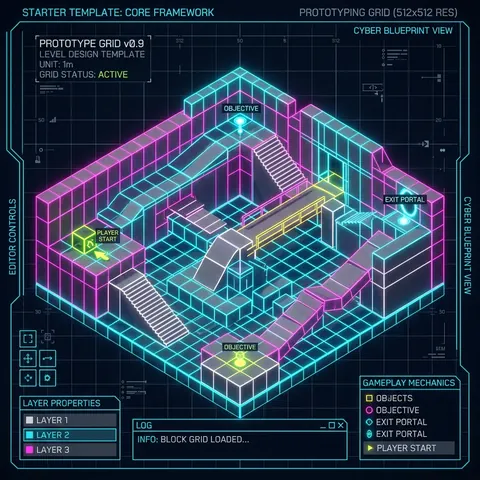
Starter kits, gameplay systems, sample projects, and project frameworks.
View template listings on Unity

AI Tools
Pathfinding, behaviors, authoring aids, and machine-learning integrations.
View AI-tool listings on Unity

Add-ons
SDKs, service integrations, editor extensions, and related plug-ins.
View add-on listings on Unity
Unity Asset Store Buyer Guide
The Unity Asset Store is a marketplace for Unity-compatible art, audio, VFX, editor extensions, templates, and other production resources. Unity and third-party publishers provide packages, and each listing can differ in compatibility, release history, support, price, and license terms. Treat the official product page and applicable EULA as the source of truth before purchase.
This guide is for developers comparing a package before checking the official listing and testing it in a separate Unity project.
-
License and seats: Check whether the package uses Unity’s standard EULA, a non-standard EULA, or is marked as a Restricted Asset. Extension Assets require one seat for each user who accesses the raw asset files. Single Entity generally covers one individual or one company or business. Multi Entity extends use across related companies and contractors on a project. The official product page and applicable EULA control.
-
Unity version and dependencies: Confirm the supported Unity version, required packages, installation instructions, and known upgrade requirements.
-
Render pipeline and platform: Confirm Built-in, URP, or HDRP support and verify every intended desktop, console, mobile, or WebGL target.
-
Maintenance and support: Review release history, documentation, support links, and recent customer feedback. Do not assume future updates or long-term support.
-
Project fit: Compare the package’s art direction, workflow requirements, file size, dependencies, and expected runtime demands with your project.
This guide provides general information and is not legal advice.
Unity Package Pre-Purchase Checklist
| Check |
What to verify |
| License |
Standard or non-standard EULA, Restricted Asset status, license type, and required seats |
| Compatibility |
Supported Unity version, dependencies, render pipeline, and target platforms |
| Maintenance |
Latest release date, version history, documentation, and publisher support |
| Project fit |
Art direction, workflow, package size, dependencies, and expected runtime demands |
| Purchase details |
Current price, taxes, refund policy, and availability on the official listing |
Unity Package Integration Roadmap
1
Select and verify
Choose a package and confirm its EULA, license type, seat requirements, Unity version, render-pipeline support, and target-platform compatibility on the official listing.
2
Review import instructions
In Unity, open Window > Package Manager > My Assets, select the package, and review its publisher documentation before downloading and importing it.
3
Test and configure
Import the package into a separate test project, resolve dependencies, and configure scripts, materials, shaders, prefabs, and project settings as required.
4
Build and verify
Create a test build for each target platform and confirm that your use and distribution comply with the applicable EULA and any non-standard or restricted terms.
Frequently Asked Questions
Can Unity Asset Store assets be used in commercial projects?
Often, yes, but only under the license shown on the individual product page. Under Unity’s standard EULA, commercial use is generally allowed when the asset is properly licensed and embedded or incorporated into a game or other digital product. Extension Assets require a seat for each user who accesses the raw asset files. Restricted Assets and packages with non-standard terms can have different rules. Review the product page and applicable EULA before purchase. This guide is not legal advice.
What is the difference between Extension, Single Entity, and Multi Entity licenses?
An Extension Asset requires one seat for each user who accesses its raw files. Single Entity generally covers one individual or one company or business. Multi Entity permits use across related companies and contractors on a project. Always follow the license type and EULA shown on the individual product page.
Are lifetime updates guaranteed for Unity Asset Store purchases?
No. Do not assume that a purchase includes lifetime updates. Update frequency, Unity-version support, and publisher support differ by package and can change. Check the listing’s release history, latest supported Unity version, documentation, and publisher support information before buying.
How should I check whether a Unity package is compatible with my project?
Confirm the supported Unity version, render pipeline, target platforms, dependencies, file size, and installation instructions on the official Unity Asset Store page. Recheck these details before purchase because listings and compatibility can change.
Ready to compare current Unity listings?
Review the official listing for the latest price, compatibility, package details, availability, and license terms before purchasing.
Review current prices and licenses on Unity
External link notice: Store, product, and category buttons open the official Unity Asset Store in a new tab, where you can verify current prices, availability, compatibility, and license terms before purchase.